
You can track sleep without nightly charging by implementing strategic daytime charging sessions—charge for 30-45 minutes during morning routines and 60-90 minutes while cooking or watching TV in the evening. Confirm your Apple Watch has at least 30% battery before bed, then activate Power Reserve and Low Power Mode to minimize energy consumption during sleep. Alternatively, consider non-contact solutions like smartphone sonar technology or under-mattress sensors that eliminate charging concerns entirely while providing thorough sleep analytics and insights.
Our Recommended Product on Amazon
As an Amazon Associate we earn from qualifying purchases.
Understanding Battery Life Requirements for Sleep Tracking

One major hurdle you’ll face with sleep tracking is the Apple Watch’s 18-hour battery life, which creates a daily charging challenge.
To track sleep effectively, your Watch needs at least 30% battery before bedtime, ensuring it won’t die during overnight monitoring. This means you can’t simply charge your Watch while sleeping like most users do.
Related guide: Best Under-Mattress Sleep Trackers for Effortless Sleep Monitoring
Sleep tracking requires maintaining 30% battery before bed, eliminating the convenience of overnight charging that most users rely on.
You’ll need to establish a strategic charging routine that powers your device without overnight charging. The key is timing your charging sessions during waking hours.
Charging for 60-90 minutes before bed provides sufficient juice for nighttime sleep tracking. Alternatively, split your charging into two shorter sessions – 30-45 minutes in the morning and evening.
This flexible approach maintains adequate battery life for continuous sleep tracking functionality.
Strategic Charging During Daily Activities
You’ll need to split your Apple Watch charging into two strategic windows that fit seamlessly into your existing daily routine.
Charge your watch for 30-45 minutes during your morning activities like showering or eating breakfast, then add another 30-45 minute charging session in the evening before bedtime.
This approach guarantees you’re maintaining adequate battery levels without disrupting your sleep tracking capabilities.
Morning Routine Charging
When you integrate charging into your morning routine, you’ll maintain ideal battery levels without sacrificing sleep tracking capabilities. A strategic 30-45 minute charging session while you’re getting ready guarantees your watch battery stays powered for nighttime monitoring. Set up charging reminders during breakfast or while preparing for work to establish consistency.
| Activity | Charging Duration | Battery Gain |
|---|---|---|
| Breakfast | 30 minutes | 25-30% |
| Getting Ready | 45 minutes | 35-40% |
| Coffee/Shower | 30 minutes | 25-30% |
| Morning Exercise | 45 minutes | 35-40% |
Use a convenient charging dock near your morning activities. This approach lets you track your sleep patterns continuously without overnight charging interruptions, maintaining detailed sleep data while keeping your device ready for daily use.
Evening Pre-Sleep Power
While morning charging works well, evening charging sessions offer another powerful strategy for maintaining continuous sleep tracking.
You’ll want to charge your Apple Watch for 60 to 90 minutes during evening activities like cooking or watching TV. This approach guarantees adequate battery power without requiring nightly charging.
Time your charging sessions strategically. If your bedtime is around 10:00 PM, aim to charge at 8:30 PM or 9:00 PM for convenient battery top-offs.
Integrate charging into your evening routine by placing the watch on its charger while engaging in low-energy tasks.
Your goal is reaching at least 30% battery life before bed. Since the Apple Watch requires approximately 90 minutes to charge from 0% to 80%, you’ll have plenty of power to track sleep throughout the night.
Utilizing Low-Power Sleep Mode Settings
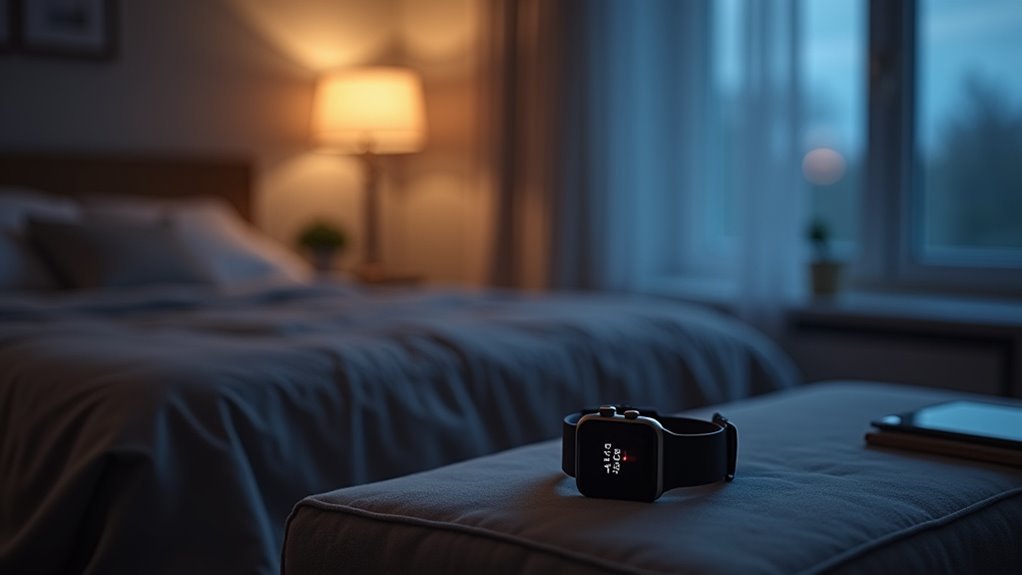
You’ll maximize your Apple Watch’s sleep tracking capabilities by activating specific power-saving features that can stretch battery life throughout the night.
Your watch’s Power Reserve and Low Power Mode settings dramatically reduce energy consumption by disabling non-essential functions like the always-on display and background app refresh.
These battery optimization strategies let you track sleep patterns without worrying about your watch dying before morning.
Power Reserve Features
This mode strategically disables non-essential features while maintaining your sleep tracking capabilities. Your watch continues recording sleep patterns with reduced functionality, ensuring you’ll still access extensive data through the Health app.
| Feature | Standard Mode | Power Reserve Mode |
|---|---|---|
| Sleep Tracking | Full functionality | Basic metrics only |
| Background Activity | Normal | Limited |
| Screen Brightness | Standard | Reduced |
| Battery Life | 18 hours | Extended duration |
Complement Power Reserve with brief daytime charging sessions to maximize your device’s sleep monitoring potential without nightly interruptions.
Battery Optimization Tips
Beyond Power Reserve mode, you can implement several targeted settings that greatly reduce battery consumption during sleep hours.
Enable Low Power Mode during your designated sleep time to disable background app refresh and reduce screen brightness, extending battery life considerably.
Set Sleep Focus to minimize notifications and background activities while the Health app continues tracking your sleep patterns effectively.
Limit battery-draining features like animated watch faces and frequent heart rate monitoring during sleep tracking.
Schedule your Apple Watch to automatically enter Low Power Mode during sleep hours, ensuring ideal energy conservation without compromising sleep monitoring capabilities.
Regularly check battery health in Settings to maintain ideal performance.
These targeted optimizations allow your watch to track sleep efficiently while preserving enough battery power to avoid nightly charging requirements.
Alternative Sleep Tracking Technologies Beyond Wearables
Several innovative technologies can track your sleep patterns without requiring you to wear a device or worry about nightly charging. Non-contact devices like under-mattress sensors monitor your movements and breathing while you sleep naturally.
The Sleep.com app’s sonar technology uses your smartphone to send silent signals that accurately measure breathing patterns and movement, validated against professional sleep lab standards.
Smart home devices offer another convenient option. Sleep tracking cameras and smart speakers analyze environmental factors like noise and light levels to assess your sleep quality.
Bed sensors and smart mattresses provide the most thorough solution, tracking movements, heart rate, and sleep stages while delivering detailed analytics. These technologies eliminate charging concerns while providing reliable sleep data through seamless, hands-off monitoring.
Sonar-Based Sleep Monitoring With Smartphones
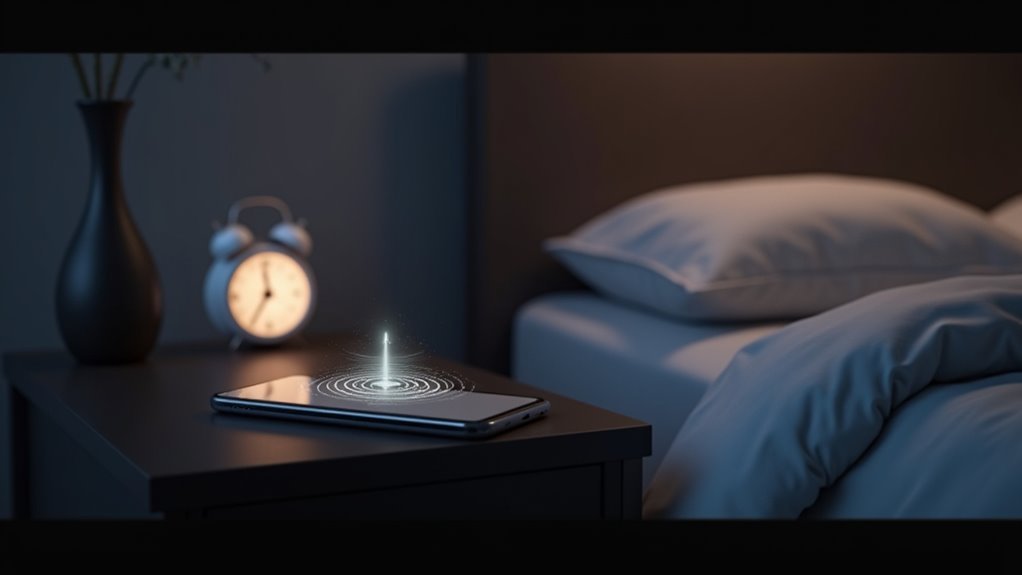
Among smartphone-based sleep tracking solutions, sonar technology stands out as the most sophisticated option for users seeking accurate monitoring without wearable devices. The Sleep.com app uses patented sonar-based sleep monitoring that sends silent sound waves above normal hearing range to track your breathing and movement patterns.
Sonar technology offers the most advanced smartphone sleep tracking, using silent sound waves to monitor breathing and movement without wearable devices.
This non-contact method requires placing your smartphone within three feet of your sleeping area, where it accurately measures sleep stages by analyzing sound wave reflections off your body. The technology works through blankets and materials while maintaining safety standards.
With over 12 years of development and validation against Polysomnography standards, this smartphone solution delivers precise sleep data without nightly charging concerns.
You’ll get thorough sleep tracking that rivals traditional wearables while enjoying the convenience of device-free monitoring.
Maximizing Apple Watch Battery During Sleep Hours
You’ll need a strategic approach to keep your Apple Watch powered through the night without plugging it in.
Start by ensuring your watch reaches at least 30% charge before bedtime, which provides enough juice for thorough sleep tracking.
Optimize your watch’s battery settings by enabling Sleep Focus mode and dimming the display to minimize power drain during those essential overnight hours.
Pre-Sleep Charging Strategy
The most effective pre-sleep charging strategy involves powering up your Apple Watch for 60 to 90 minutes before bedtime, ensuring it reaches at least 30% battery capacity for reliable overnight tracking.
To optimize your pre-sleep charging strategy and maintain excellent battery life for sleep tracking functionality, follow these essential guidelines:
- Time your evening charge – Start charging around 8:30 PM or 9:00 PM if you’re going to bed at 10:00 PM.
- Implement dual charging sessions – Charge for 30-45 minutes both morning and evening to maintain battery health.
- Monitor battery levels – If consistently below 30% at bedtime, extend your charging period.
- Plan for full charges – Remember it takes approximately 90 minutes to charge your Apple Watch from 0% to 80%.
- Wear consistently – Keep your watch on during the day while maintaining regular charging intervals.
Battery Optimization Settings
Five strategic battery optimization settings can greatly extend your Apple Watch’s runtime during sleep hours, ensuring consistent tracking without nightly charging interruptions.
Enable Power Saving Mode to disable Always-On display and heart rate notifications, which considerably reduces battery consumption overnight.
Lower your display brightness through Settings or Control Center to conserve additional power.
Turn off unnecessary features like Background App Refresh and location services for non-essential apps that drain battery while you sleep.
Limit watch face complications to essential information only, as active widgets consume extra power.
Start with your device fully charged to at least 30% before bedtime.
These battery optimization settings work together to maximize tracking capabilities throughout the night without requiring charging.
Setting Up Sleep Focus to Reduce Power Consumption
While your Apple Watch tracks sleep throughout the night, Sleep Focus acts as a power-saving guardian that dramatically reduces battery drain.
This intelligent feature minimizes power consumption by limiting unnecessary background activities and notifications during your sleeping hours.
To set up Sleep Focus for ideal battery life:
- Navigate to Settings > Focus > Sleep on your iPhone
- Schedule automatic activation based on your bedtime routine
- Allow Sleep Focus to limit notifications on your Apple Watch
- Confirm Sleep Tracking remains active for accurate data collection
- Let the feature automatically reduce background app activities
When Sleep Focus activates, it creates the perfect balance between thorough sleep monitoring and power conservation.
You’ll wake up with detailed sleep data and sufficient battery life to start your day without immediately reaching for the charger.
Morning and Evening Charging Routines That Work
Two strategic charging sessions throughout your day will eliminate the need for overnight charging while maintaining peak Apple Watch performance.
Start with a 30-45 minute morning charge during your routine to boost battery level for the day ahead. This quick session guarantees you’re starting with sufficient power.
Your evening charging routine is equally important for successful sleep tracking. Charge for 60-90 minutes before bedtime, targeting at least 30% battery minimum.
If you sleep at 10:00 PM, establish a consistent schedule by plugging in at 8:30 PM. This timing integrates seamlessly into your daily life.
Monitor these charging routines carefully to assure your watch is ready for overnight sleep tracking, which requires wearing the device for at least one hour with Sleep Tracking enabled.
Multi-Device Sleep Tracking Strategies
Although charging routines solve most battery concerns, combining multiple sleep tracking devices creates an even more thorough monitoring system without overnight charging dependencies.
Multiple device integration eliminates battery anxiety while delivering comprehensive sleep insights beyond single-tracker limitations.
You can wear your watch during daytime activities while using sonar-based smartphone apps to track your nightly sleep patterns. This eliminates worries about battery drain since your wearable charges while you’re awake.
Consider these multi-device approaches:
- Use smart speakers or cameras for contactless bedroom monitoring
- Combine smartwatch daytime data with phone-based nighttime tracking
- Employ sonar apps that work independently of wearable devices
- Integrate smart home sensors for thorough sleep environment analysis
- Utilize data aggregation platforms that merge multiple device inputs
When you open the Health app, you’ll see consolidated sleep data from all sources, providing detailed insights without depending on single-device battery life.
Optimizing Sleep Schedule Around Charging Habits
Beyond using multiple devices, you can create a strategic charging schedule that aligns perfectly with your natural sleep routine. You’ll want to charge your Apple Watch for 60-90 minutes during evening hours, starting around 8:30 PM if you sleep at 10:00 PM. This guarantees adequate battery for overnight tracking without disrupting your wind-down period.
| Time Period | Charging Duration | Battery Target |
|---|---|---|
| Morning | 30-45 minutes | 70-80% |
| Evening | 60-90 minutes | 90-100% |
| Pre-Sleep | N/A | Minimum 30% |
| Post-Sleep | 30-45 minutes | 60-70% |
Incorporate morning charging into your daily rituals while reviewing sleep data in the Health app. This dual approach maintains consistent tracking while establishing sustainable habits that don’t require nightly charging interruptions to your schedule.
Using Iphone Health App for Continuous Monitoring
Since your Apple Watch doesn’t need nightly charging with proper power management, you’ll find the iPhone Health app becomes your central hub for continuous sleep monitoring.
The Health app seamlessly integrates with your Apple Watch’s Sleep Tracking capabilities when your watch maintains at least 30% battery before bedtime. You can establish thorough sleep goals by tapping “Get Started” under Set Up Sleep, creating personalized schedules that work with your lifestyle.
Here’s how to maximize continuous monitoring:
- Activate Sleep Tracking in the Sleep app on your watch
- Set automated Wind Down routines through the Health app
- Review daily, weekly, and monthly sleep insights and patterns
- Adjust sleep schedules and alarms directly within the app
- Wear your watch for at least one hour nightly for accurate data collection
Maintaining Accurate Sleep Data With Minimal Charging
When you establish strategic charging windows during your daily routine, you’ll maintain accurate sleep data without disrupting your overnight tracking schedule. Charge your Apple Watch for 60-90 minutes during the day to reach 80% from empty, guaranteeing sufficient battery for overnight sleep tracking.
Implement morning charging sessions of 30-45 minutes, then add another 30-45 minute session in the evening.
Activate Sleep Focus to reduce distractions and maintain consistent tracking even with lower battery levels. To conserve power overnight, minimize features like continuous heart rate monitoring that drain battery faster.
Regularly review your sleep schedule in the Health app to optimize tracking capabilities. This approach guarantees your Apple Watch captures accurate sleep data while maintaining battery efficiency throughout your sleep cycle.
Frequently Asked Questions
Is There a Sleep Tracker Watch Without Subscription?
You’ll find numerous sleep tracker watches without subscriptions, including Fitbit Inspire, Garmin Forerunner, Amazfit Bip U Pro, Xiaomi Mi Band, and Withings Steel HR. They provide extensive sleep monitoring through free mobile apps.
Can I Use Sleep Cycle Without Charging?
You can use Sleep Cycle without nightly charging if your phone has 30% or more battery before sleep. Charge during evening hours or mornings, and optimize your battery settings for better performance.
How Charged Does Your Apple Watch Need to Be to Track Sleep?
You need your Apple Watch charged to at least 30% before bedtime for effective sleep tracking. This guarantees there’s enough battery power to monitor your sleep patterns throughout the entire night without dying.
Does Fitbit Track Sleep Without a Subscription?
Yes, you’ll get basic sleep tracking without a subscription. Your Fitbit automatically detects sleep duration, stages, and quality, displaying data in the app. Premium subscriptions add advanced insights, but core tracking works free.


